 Spread
Your month and your day, side by side.
Spread turns a big screen into an open paper diary — month on the left, the day you pick on the right. A two-page calendar for iPhone Duo, iPad and iPhone in landscape. It reads the calendars you already use and never changes them.
Coming soon to the App Store
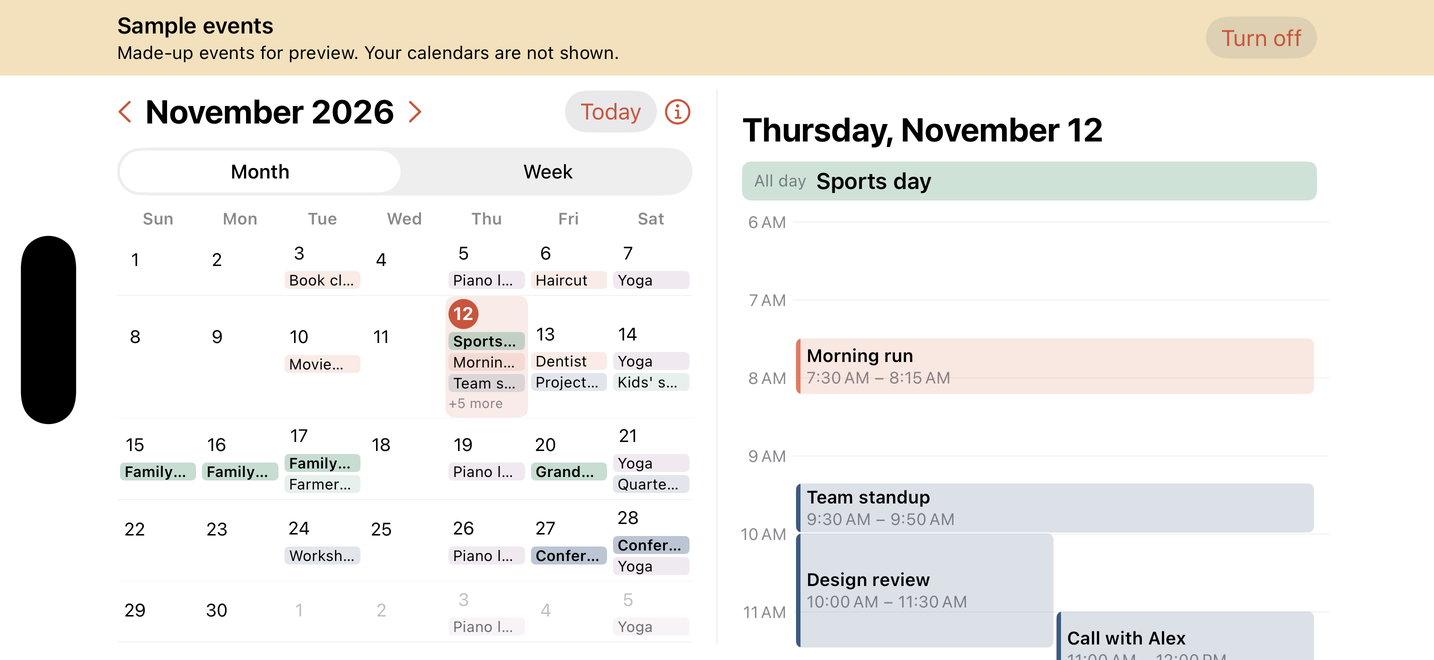
Simulator screenshot with made-up sample events.
Why Spread
- Two pages, one glance. Tap a date on the left; its full timeline opens on the right. All-day, multi-day, repeating and overlapping events, laid out like paper.
- Upright, it's Today. Hold the phone upright and Spread becomes a clean Today list. A Today widget covers the Home Screen and StandBy.
- Nothing leaves your phone. No account, no ads, no tracking, no network code. Your events are read on-device and stay there.
Questions
- Which calendars does it show?
- Every calendar on your device: iCloud, and any account you added in Settings › Apps › Calendar › Calendar Accounts.
- Can I add or edit events?
- Not in Spread. It is view-only by design; use your usual calendar app to make changes, and Spread updates automatically.
- Does it work without an iPhone Duo?
- Yes. On iPad it opens as two pages in full screen, in both orientations; on iPhone, turn it sideways for two pages.
- What do you collect?
- The app collects nothing. See the privacy page.
- Is it a subscription?
- No. One purchase; updates included.
- I denied calendar access. What now?
- Open Settings › Apps › Spread › Calendars and choose Full Access, or tap “Open Settings” in the app.
- Refunds?
- Purchases go through Apple. To request a refund, use reportaproblem.apple.com.